Uploading and attaching sources
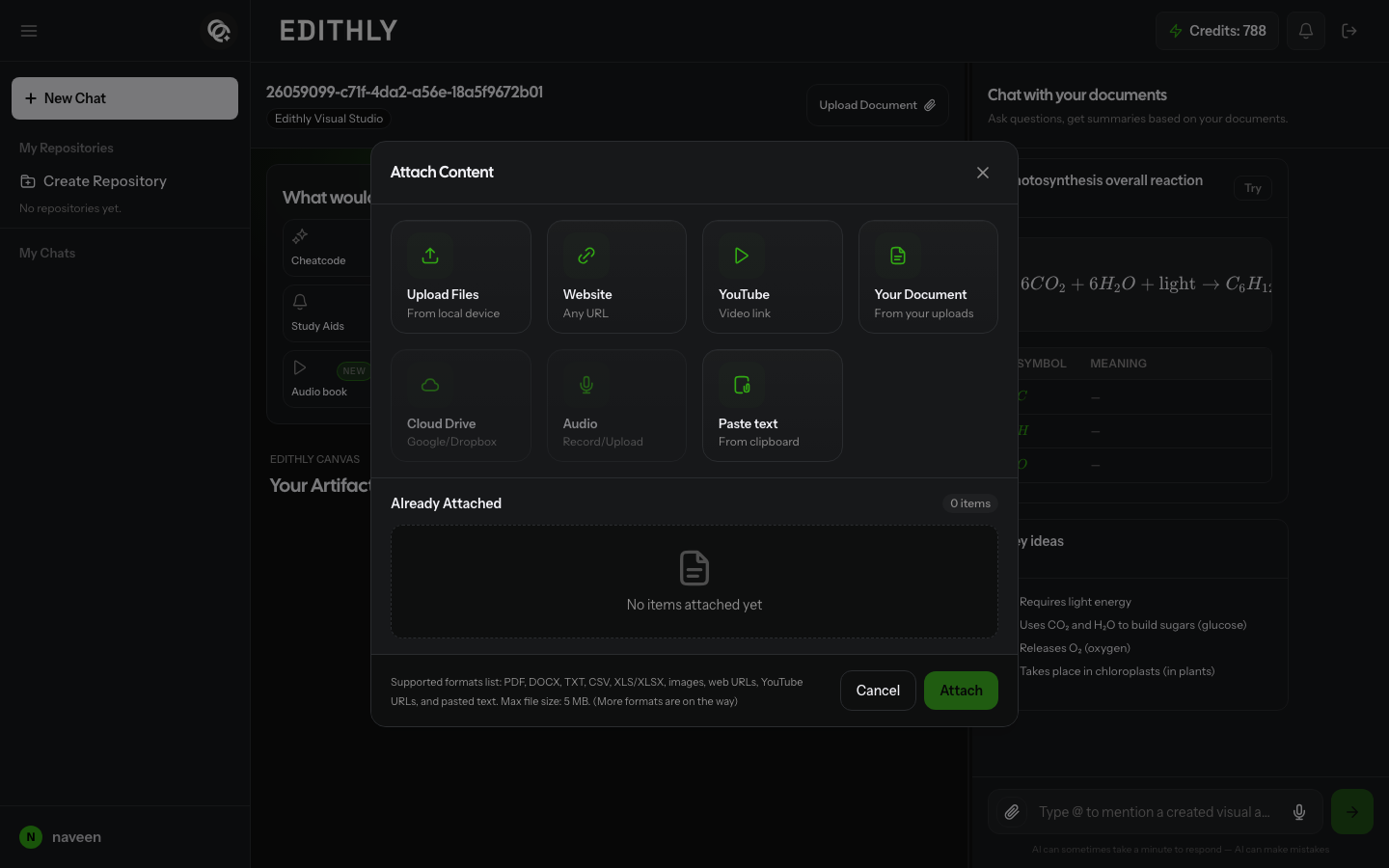
You can bring material into Edithly from a chat, a repository composer, or the home page — they all open the same Attach Content dialog.
Ways to add a source
| Option | What it does |
|---|---|
| Upload Files | Add a file from your local device |
| Website | Add any URL — the page is scraped and indexed for chat |
| YouTube | Add a video link — its transcript is extracted and indexed |
| Your Document | Reuse something you've already uploaded to Edithly |
| Cloud Drive | Connect Google Drive or Dropbox and attach from there |
| Audio | Record audio or upload an audio file |
| Paste text | Paste content directly from your clipboard |
You can also just drag and drop a file or paste a URL into the chat composer — Edithly detects it and routes it to the attach flow automatically.
Supported formats and limits
As shown in the Attach Content dialog, Edithly currently supports:
- Microsoft Word (DOCX)
- Plain text (TXT)
- CSV and Excel (XLS/XLSX)
- Images
- Web URLs and YouTube URLs
- Pasted text
Maximum file size is 5 MB per file. The dialog notes that more formats are on the way, so check it for the latest list if you're unsure whether something is supported.
Ingestion
After you confirm attachments, Edithly uploads your sources and starts ingestion — parsing and indexing the content. A progress indicator shows while this runs, and you may get a notification when it finishes.
Wait for ingestion to complete before expecting full-quality chat answers and visual generation — the AI uses the indexed content as its context.
Importing a shared chat
If someone shares a chat link with you, opening it prompts you to import the shared chat into your account, sources and all, before you continue.